Wednesday, August 27, 2014

How to get the President’s attention when you’re only 10 years old


Dear President Obama. We know that you’re real busy. But if you could take two minutes to watch our video, we would greatly appreciate it…

You're ten. You and your classmates are going to the White House. You're excited. You're fit 
to burst about all the famous people and places you'll see. 


But the President stands you up. You're so disappointed. Do you meekly accept that 'fiscal 
cuts' cancelled your outing and go home? 


No. If you are the children of Frontier Elementary School in Florida, you make a short but kick-ass scribe video asking Barack Obama to reschedule. 

Their scribe video got them noticed. Big time. As well as getting the attention of the White 
House, it also got them media coverage.9 Quite the political coup! 


It sounds revolutionary - ten-year-olds interacting directly with the President. Yet in one sense, they were doing nothing new. Way before the internet and video sharing sites, way before video itself - in fact, way back before electricity or schools or presidents - humans scribed to one another. 


Let's go back 40,000 years. 


Where to catch the best bison 


You'll find the origins of video scribing in the dark caves of El Castillo, Spain. More than 40,000 years ago, cave paintings shared stories of hunting, ceremony and survival. 


For millennia, people used images to share the secrets of being human and staying alive. First came the cave artists, then came the scribes - an educated few using a stylus tool to document history with images, and eventually, words. Soon no respectable king, council or religion was without one. 

Pressed by printing 


While text is a comparatively recent invention, it soon caught on. And with the arrival of the printing press, scribing became a niche market. 


As technology advanced, the printing press turned into the typewriter, which turned into the computer, which birthed the internet, the most prolific tool ever known for spreading knowledge fast and wide. 


The tool that lets ten-year-olds talk with presidents. 


Return of the scribes 


So today's scribes have all this at their fingertips: images, text, speech, the internet and 
thanks to some clever people in the 1880s, video. Put it together and what have you got? Video scribing - a technology that harnesses 40,000 years of human ingenuity. 


Following on from breakthrough campaigns by UPS and the RSA, whiteboard animation 
has become a contemporary form of communication for the world's largest companies on every continent. 


It is used in corporations, classrooms, campaigns and creative studios. 

The stylus may have gone, the quill is now rather passé, but armed with a marker or a 
mouse, video scribing allows you to communicate complex ideas simply and to send those ideas across the world at speed

Saturday, May 10, 2014

What is video scribing? Video Doodle or Whiteboard Animation Video


Karin Berg was like teachers the world over – passionate about her students, desperate to give them the attention they deserved, but stretched to her very limits. Then her government in Sweden proposed changes to the education system – changes that would ramp up her workload and strip away what little time she did have. Karin was exhausted. But she was game for a fight. She made a short, quirky video expressing her frustration. A virtual placard. An online grrrr. It was no masterpiece, and Karin could never have guessed where it would take her

In no time, her protest went viral in Sweden. Karin was invited to debate the proposals with the Minister for Education – live on national television. She gave him both barrels.Later, in a 75-minute private meeting, they discussed the changes at length. Karin’s followup video was aimed directly at members of parliament in the Riksdag.You can find Karin’s videos on YouTube.

They are compelling viewing even if you don’t have a word of Swedish.
But why? And how did she make such a splash? What were Karin’s videos?
Not celebrity talking heads, slick slide presentations, or live films with famous actors.They were whiteboard animations.

Have we met before?
Also called scribes or scribed videos, whiteboard animations show images drawn onto a whiteboard before your very eyes. They unfold in sync with a voiceover to communicate your ideas in a clear, linear narrative.
Like cartoons, scribed videos tell a story. Unlike cartoons, they are not animated in the traditional sense and don’t need to be silly or end in a punchline.

Sound familiar?

That’s because you’ve seen them before. In the series finale of Weeds.In 2007, when UPS explained its USP using just a man, a pen and a whiteboard.In a series called RSA
Animate, where inspirational talks were made into scribe videos and went viral.
And on tech blog Mashable, to celebrate Facebook’s tenth birthday.
Karin Berg follows in a long line of audacious scribes, from prehistory to the present day.
Just how far back does scribing go?

Thursday, December 19, 2013

Animated whiteboard video software update - More user friendly and more feature

Have you try Animated Whiteboard Video Software ? 

If not well you can try it for free at here. Currently video whiteboard video software was release update for the software. Many improvement to the interface, panel, scroll ball multiple selection of elements, better browsing – as well as a much cleaner way to save your scribes. New features include novel line styles, WMV format, and high definition for education users. And most important is more user friendly although you have no experience before with whiteboard animation software or videoscribe.


Improvements and new features Animated whiteboard video software 

Select multiple elements in the timeline

Select multiple elements in a scribe timeline and move them together with the keyboard arrows.
Just like your operating system, you can hold the SHIFT key and click to select a range of elements, or do the same with the CTRL key to select elements that are apart.

New line effects: cutting, zipping, sewing

There are three new line drawing styles for you to spice up your scribe videos:
  1. Slice
  2. Sew
  3. Zip
New VideoScribe line styles

Save scribes easily

Instead of the green ribbon to save scribes online or offline, there is now a save button. The button allows you to set the scribe name and choose online or offline saving.
The save button also works as a ‘save as’ function. By changing the name of an existing scribe, a new, amended version is created without modifying the old one.
Also, when you save a scribe, it no longer closes. The scribe remains open for you to work on it.


Scroll bars!

Scroll through vertical and horizontal lists using scroll bars. Much faster and easier to use.

Improved library panel

The new library panel makes it easier to find content for your scribes. Choose between content categories, your own hard drive, Dropbox or fifty suggestions from all the libraries.
You can now use your operating system’s window to browse through images on your computer if you prefer.
Click on the tags of a selected element to search for similar elements in all the libraries.

Export video as WMV

You can now export videos in Windows Media Video format (.wmv). Great if you use Windows and want to add a scribe to a PowerPoint presentation.

HD output for education licences

If you use VideoScribe in education, you can now create high definition videos.

Quick-look audio icons in the timeline

See at a glance what music or voiceovers are in your scribe with new icons in the timeline.

Bugs fixed

Video rendering quality

We have improved the quality of video rendering.

Move-in feature restored

The move-in feature works as it should.

Adobe Illustrator file changes

Adobe has amended the XML code behind SVG files in Illustrator. We have made changes to ensure that you can still import and export SVG files between VideoScribe and the new version of Illustrator.

Canvas objects render and draw faster

The way that elements are drawn on the canvas has been improved. Rendering, zooming and the final draw are all faster.

Animated whiteboard video software is great software to create sales video, alternative presentation of power point, it simple as it. So Try it Now at here

Monday, August 19, 2013

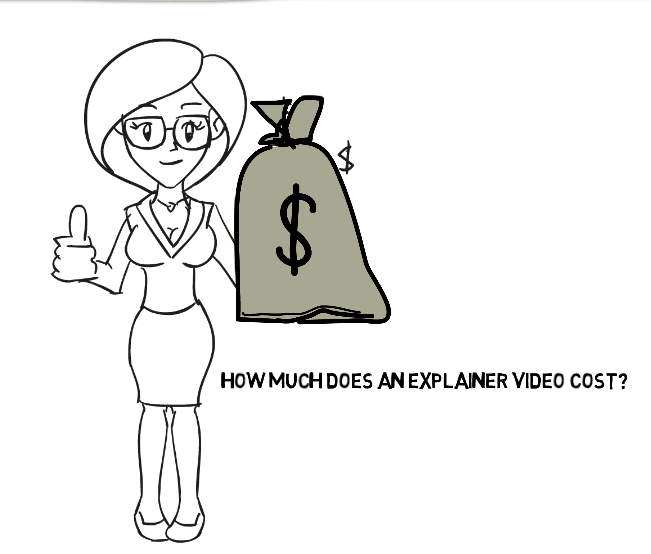
What is the cost of an Explainer Video?


Explainer videos are short-timed, enticing, online videos that promote a product, company or service. The reason of why every company should invest in an explainer video is to have a positive impact in sales, reputation, image and profitability. The ultimate goal is to make people acquainted with a product or service from a company, in which a video represents more than a thousand word combined to achieve this particular characteristic.

With regards to the costs of an explainer video, a typical 60-second explainer video aimed at promoting a particular product or company costs anywhere from $1,600 to over $15,000. Respected and experienced producers can charge anywhere from $5,000 up to $10,000. These costs are variable and correlate directly with a variety of factors such as the quality of work produced, number of scenes, company, brand, details, retouching, effects, supply and demand.

Many people consider the cost of an explainer video to be very expensive and even prohibitive to some extent. However, it is important to consider and estimate the amount of work, skill, and effort that are needed to produce an explainer video. For this reason, the following run-down gives a comprehensive overview of the entire video production process.

A typical explainer video project takes anywhere from 4 to 8 weeks to fully produce and encompasses up to 6 stages.

Stage 1: Writing a script and research
A video cannot be fully completed without an excellent script. It takes a great deal of dialogue, conversations and details to optimize a writer to sum up an entire idea in less than 200 words. All videos must also contain a detailed story, background, creativity and reach a compromise between all workers involved in the production process.

Stage 2: Styling and Illustrating
All persons, characters and objects present are styled and illustrated by hand, manually digitized and then transferred onto the video. Getting the right match for an illustration, design and style requires a great deal of discussions and dialogue to reach an agreement between clients and producers.


Stage 3: Storyboarding
Once a final script has been formulated and all styles and illustrations are created, the process of storyboarding creates a detailed scene matching sequential in its video animated category.

Stage 4: Voiceover
A professional voiceover artist or impersonator will be hired to create a matching narration based on the written script and the sequential order of the storyboard.

Stage 5: Animation Production
Professional animators take all the bits and pieces of the entire workload of the video and with their expertise and intricate software create animated moving images that will be shown in the video.

Stage 6: Sound Effects
The final stage in the video production process is to mix all the component sounds in the video to make it unique in scope and scale. A sound engineer ensures that the video possesses excellent sound quality and the matching of animated images with the right sound altogether.

Conclusion
A great painstaking process is encompasses in the production of an explainer video, adding up several details such as hours of revisions, editing and other essential qualities.
If aiming to find other kind of perspectives in video production pricing, feel free to check out blog posts from Miguel and free answers on Quora.

We would love to hear your opinion! Have you been offered other prices? Tell us about your experiences in the comment section. 

Sunday, August 18, 2013

Why is Online Video Marketing so Popular?


The following article takes a close overview in how exactly online video marketing has the power to facilitate and add aggregated value to the marketing operations of any company.

Great whiteboard animated videos created by Danish through the amazing potential of video marketing. Let’s analyze how the majority of average people spend their day. Approximately one third of the world’s population is online, with an average of two thirds of those people online researching what they want to buy before they buy it. Most Americans begin their research by doing price comparisons, researching quality among retailers and reading reviews of the products that they want to buy. Most of them also start making their purchase decisions and conclusions entirely based on what information is available in the internet.

What has this to do with Online Video?
Almost all internet users use search engines to research products online. Most brands wonder about how to get the first ranking in the top of search engines. This is where precisely online video kicks in. Search engines by default put a higherranking on video and content that has video on it more than in any other form of content category or media. The easiest way for a brand to achieve the top ranking is to use video.

How important are Blogging and Social Media for business-related marketing activities?
The basic answer is very important given that video is the most popular and successful way to distribute content among the internet and to engage user interaction. Why should you focus on social sites than on email? 
According to recent statistics, US internet users spend over thrice as much time on social sites and blogs than they do on email. The social media components in the US have grown over 350% in the last 7 years, these statistics cannot be definitely be taken for granted. Gaining customers and obtaining more market share is definitely achievable when creating video and distributing video content within the internet.

Does video have anything else to offer?
Much more. Accessibility to video and the flexibility to carry it on-the-go is the best kind of convenience that can be brought to an audience. Engaging customers on their laptops, mobile phones, tablets and any other outlet is something that audiences love. Statistics state that over 4 billion people in the world use a mobile phone, yet less than 4 billion actually use a toothbrush. This leads to conclude that people are more prone to investigate content on a mobile phone than in any other kind of electronic device.


To reach out to a massive crowd, it is then important to create a brand that is easily accessible and located in a place where you can have all sorts of people coming through. What other best way than online video, especially amazing whiteboard animationvideos to achieve this goal?

Saturday, August 17, 2013

One Explainer Video Company Presents 5 Recommendations on the Artistic Process of Enchantment


No matter what way a person is trying to enchant online, it is essential to acquire knowledge in the artistic process of enchantment. Learning precise enchantment skills can lead to helpful factors in life and the acquisition of successful decisions.
Guy Kawasaki has brought 5 particular enchantment tips, he is a popular speaker at the ad:tech conference held annually in San Francisco.

Tip 1: Present a Valuable and Polite Image
How exactly do you do this? It is fundamental to have a firm handshake when saluting others and to smile sincerely; learning how to trust others is also an essential attribute within social and business life. All customers must be trusted, just like the video service trusts his customers by guiding them in the process of editing, script writing, storyboarding and animation in order to satisfy his clients’ needs and requirements.

Tip 2: Evaluate every product in detail
Always conduct an evaluation of every product before it is released to the public, indicating the reasons of why the particular product could fail. Before any product is released to the public, eliminate all risks and potential reasons of why it could fail.

Tip 3: Formulate a Story
Whenever you are trying to get a person excited about something or whenever producing videos through the explanation video service, always make sure you formulate and tell a story. Stories have the potential to link the person into what is being seen, aiding them in the process to retain information from what they are actually visualizing.

Tip 4: Create as Many Opportunities as Possible
Do not settle for just one media pathway or channel; find multiple media sources that will allow you to connect instantly to more people and more opportunities. Reaching out to different types of people and getting personal with them is the ultimate goal.


Explainer video service, one of the most popular video companies in the market, creates dynamic and persuasive animated video services through the whiteboard animation and scribing process. Call us today to request a free consultation in how to create a spectacular video marketing campaign for your own business.